InRoads: Apply Template
The InRoads Apply Templates command is used to push any template along any
graphic.
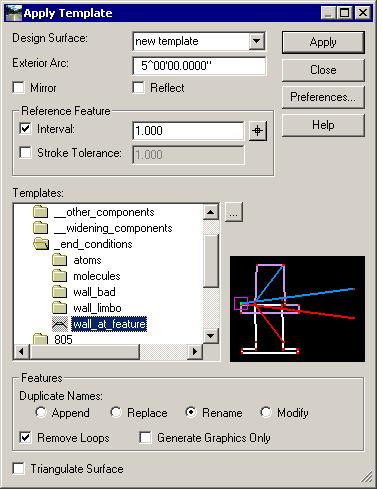
| Select InRoads>Surface>Design Surface>Apply Template.
The Design Surface list determines where the results will wind up (you
can create a new surface on-the-fly).
Reference Feature: how often along the graphic do you want to "drop
the template?" Stroke Tolerance densifies around curves.
Select the template you want to push and hit Apply.
Follow the prompts.
|
 |
This command is very useful when doing "cleanup" at transition zones and at
intersections.
An example is two crossing roads. After using Fillet Feature to create
a 3D Shoulder Curve Return of, say, 25 ft radius, you can run the same
components outside of that new curved Shoulder that was run outside the
shoulders along the mainlines. Your end result is that your sideslopes
(and even ditches and berms) are continuous around the intersection.
| 





