| Top Level: |
|
       |

| Peer Level: |
     |
|
|
Child Level:
 |
Workflows: Merging SurfacesMerging Surfaces
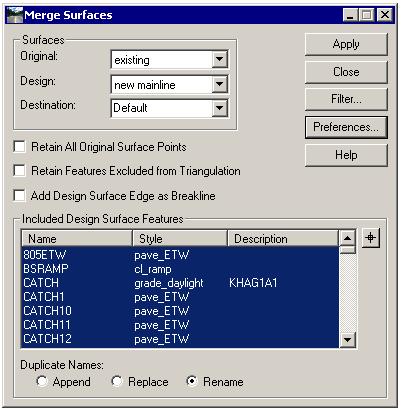
This is less a workflow than a description of techniques and ways to avoid pitfalls. OverviewYour whole career is about creating 3D linestrings. InRoads has a zillion commands to create them. Sometimes it creates a bunch at once, sometimes a command creates a single string. We tend to want to deliver a single surface with all the new linestrings. The two primary commands to do this are Copy Portion of Surface and Merge Surface. The latter can "cut out" the original data within the limits of the new surface and is used primarily when dirt is added to or cut from the original ground.
Caveats:A LOT of surfaces can be created during a series of Surface Edit commands. Most are temporary and may not even need to be saved to the hard drive. Some might need saving, but are intermediary and should be deleted from the hard drive so as not to confuse. Have a plan to manage. InRoads can crash or hang up. There is NO UNDO for surface edits. More than once you will need to close a file without saving to get a feature back or otherwise fake an UNDO. You will more than once lose some work because of this. Don't go too long without saving.
Copy Portion of SurfaceOften Copy Portion of Surface works fine for Merging Proposeds (ramp to mainline) but requires trimming back. Note: there are issues with using the Surface Edit>Trim commands (Features can be spatially discontinuous, trimming can delete data that is well outside the view you are zoomed into (especially if the merge setting was set to the bad defaut "Append". I prefer Partial Delete.).
|
|