|
Child Level:
| |
InRoads Superelevation for CalTrans English Standards
Primary Purpose of CalTrans Superelevation Tables for InRoads:
- Establishes Max Superelevation Rates for each curve
- Establishes Transition Lengths for each Curve
Given the Correct Superelevation Table InRoads will:
- Establishes Max Superelevation Rates for each curve
- Establishes Transition Lengths for each Curve
- Create Superelevation Control Lines for all necessary template points
- Establish proper Superelevation template stations (including rounding to
the nearest 0+30)
- Create an editable Superelevation Diagram with proper engineering
dependencies (the diagram controls the templates, it is not a passive result
of the templates).
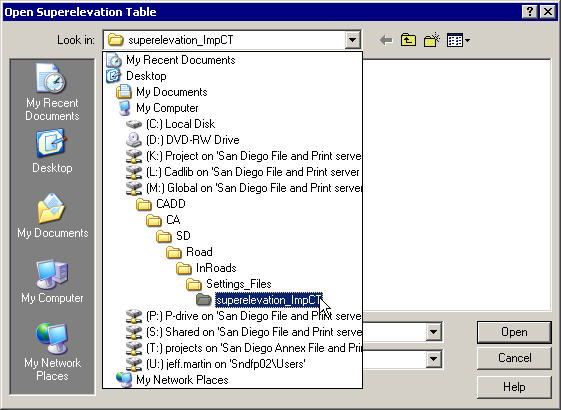
Superelevation tables for CalTrans are at
M:\CADD\CA\SD\Road\InRoads\Settings_Files\superelevation_ImpCT
Workflow
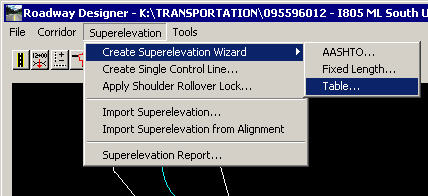
| In the Roadway Designer, select Superelevation>Create
Superelevation Wizard >Table... |
 |
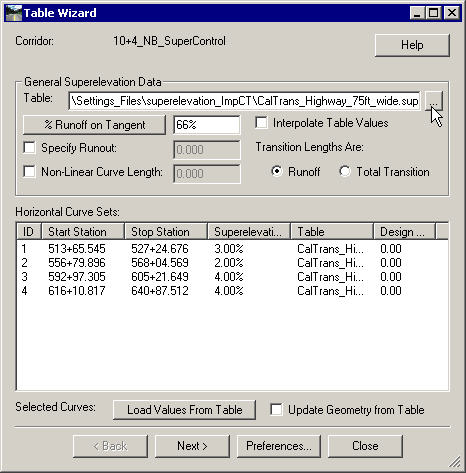
| Click the button to the right of the Table
field in the General Superelevation Data frame |
 |
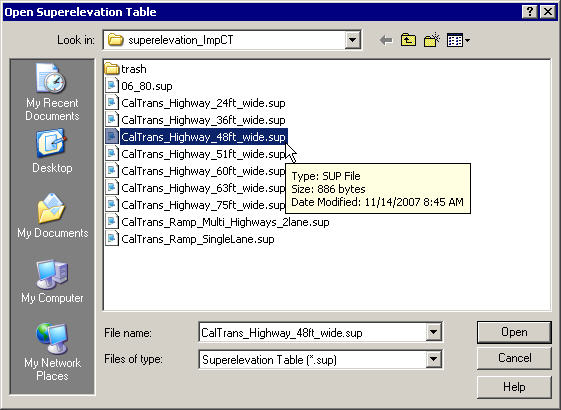
| Select the proper CalTrans table (Single Ramp,
Multi-Lane Ramp/2Lane Highway, and Width-based Multi-Lane Highway). |
 |
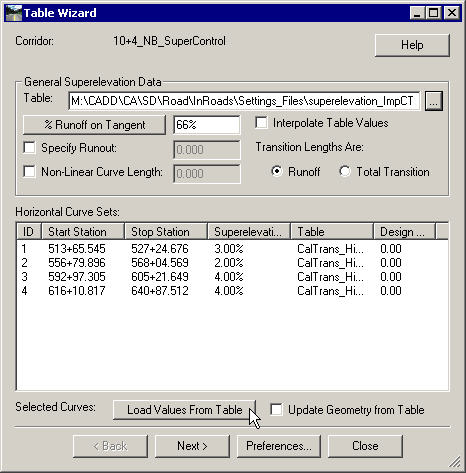
| Click the "Load Values from Table" button. Click
Next. |
 |
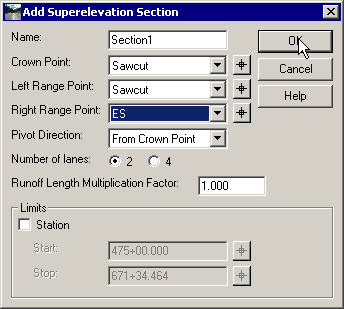
| Set up the Superelevation "Section" (the transverse
limits of Superelevation in the templates). |
 |
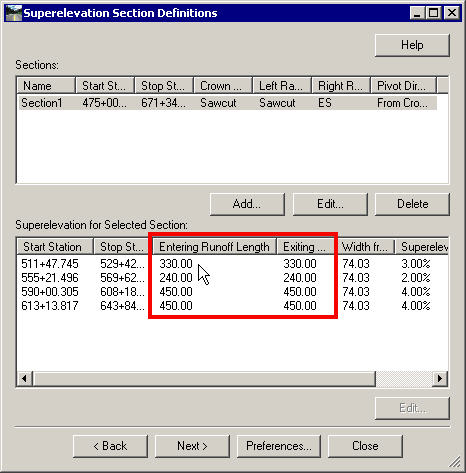
| InRoads calculates the transition lengths from the
table.
Verify against the Highway Design manual.
Click Next. |
 |
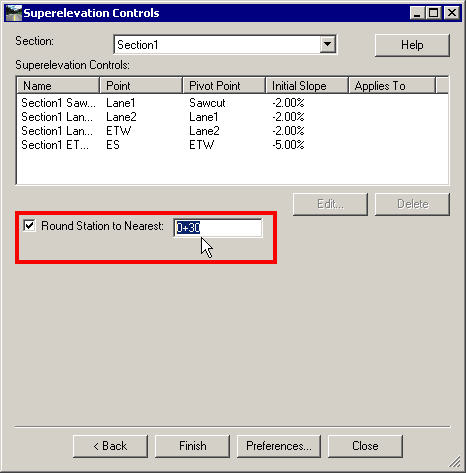
| CalTrans rounds off the Superelevation Stations to the
nearest 0+30 (or as they say "the nearest 10 divisible by 3).
Click Finish. |
 |
Some additional Superelevation Info can be found
here.
Additional Videos:
|