|
Child Level:
| |
Templates Home
Scope of this section:
"Shareable" Project Templates
examples and explanations for a particular clever technique with broad
applications (see the link bar to the left).
You can drag and drop templates from one library to another via the
Tools>Template Library Organizer in the Template Designer form.
General Template Technology
Logic Branching: End-conditions
Note: for InRoads to process through a series of options, the end
condition components must ultimate start from the same point.
Logic Branching: Display Rules and Child Components
Specific Trick or Treats
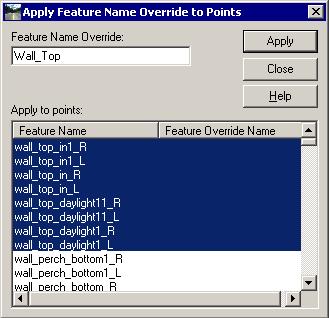
Feature Name Override:
for general design, having cut and fill lines with specific names
(ClearZone_daylight, Cut2to1, Fill_Wall_2to1, ROW_max, etc.) is
nice, but often, combining this dissonant names into a single
feature (R_daylight) is useful. Feature Name Override is in
the Template Editor toolbar.
|
 |
Branching: techniques for when the graphics and the logic seem to vary
Components can go Vertical, but the surface itself still cannot (nor will
it).
|